Quick Start Guide
Get started with OpenCDA for cooperative driving automation research and OpenCDA-MARL for multi-agent reinforcement learning scenarios.
OpenCDA Scenarios
What it provides: Pre-configured benchmark scenarios for cooperative driving research
Parameters:
-t: Scenario name (must have matching.pyinconfigs/opencda/scenario_testing/and.yamlinconfigs/opencda/)--apply_ml: Enable ML models (requires PyTorch)--record: Record simulation for replay
Note: Version argument (-v) has been removed. OpenCDA now uses CARLA 0.9.15 exclusively.
Single Vehicle Tests
Features:
- 100 km/h target speed
- Safe traffic interaction
- Localization, planning, control modules active
- Perception disabled by default (no PyTorch needed)
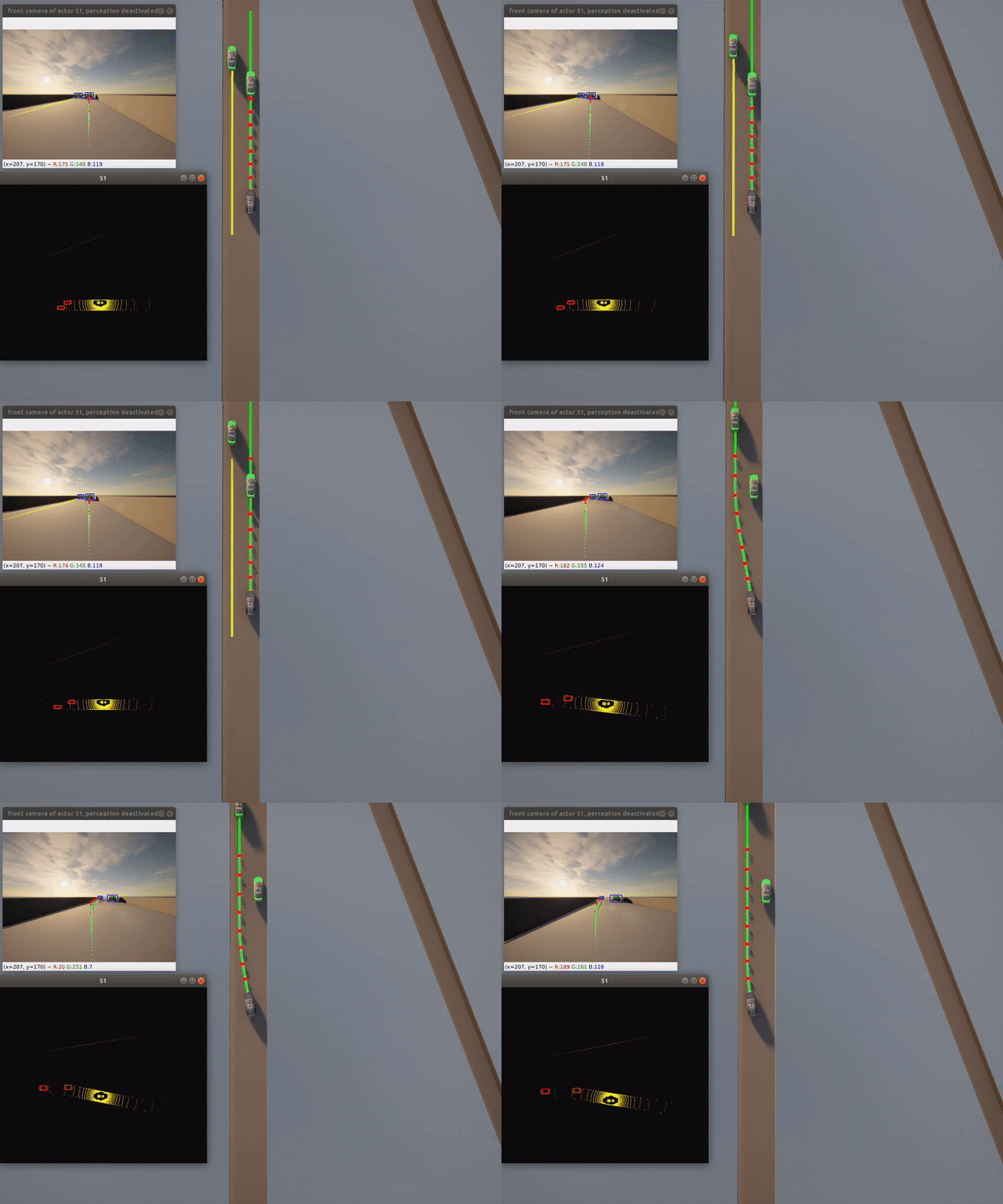
Features:
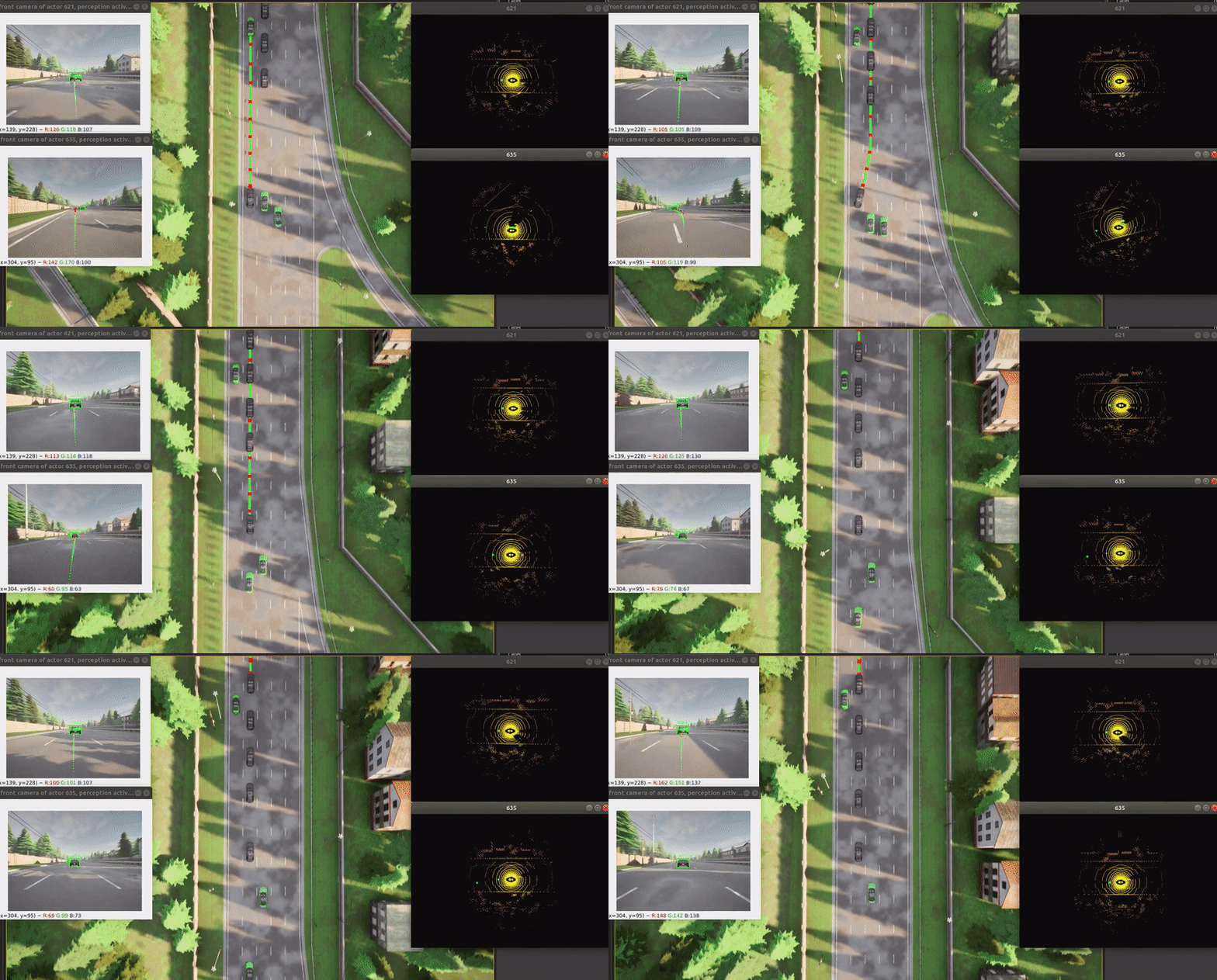
- Full perception pipeline with ML
- Urban environment navigation
- Camera-LiDAR fusion
- Requires: PyTorch, CUDA (recommended)
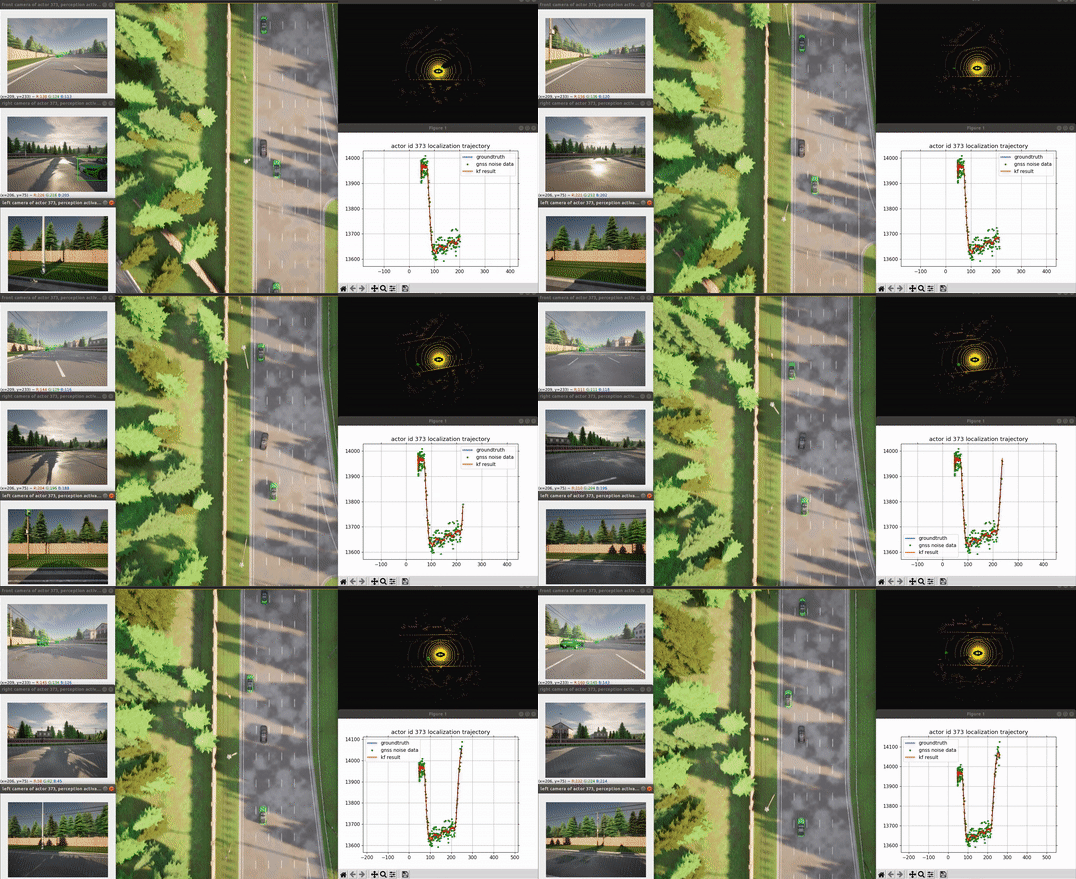
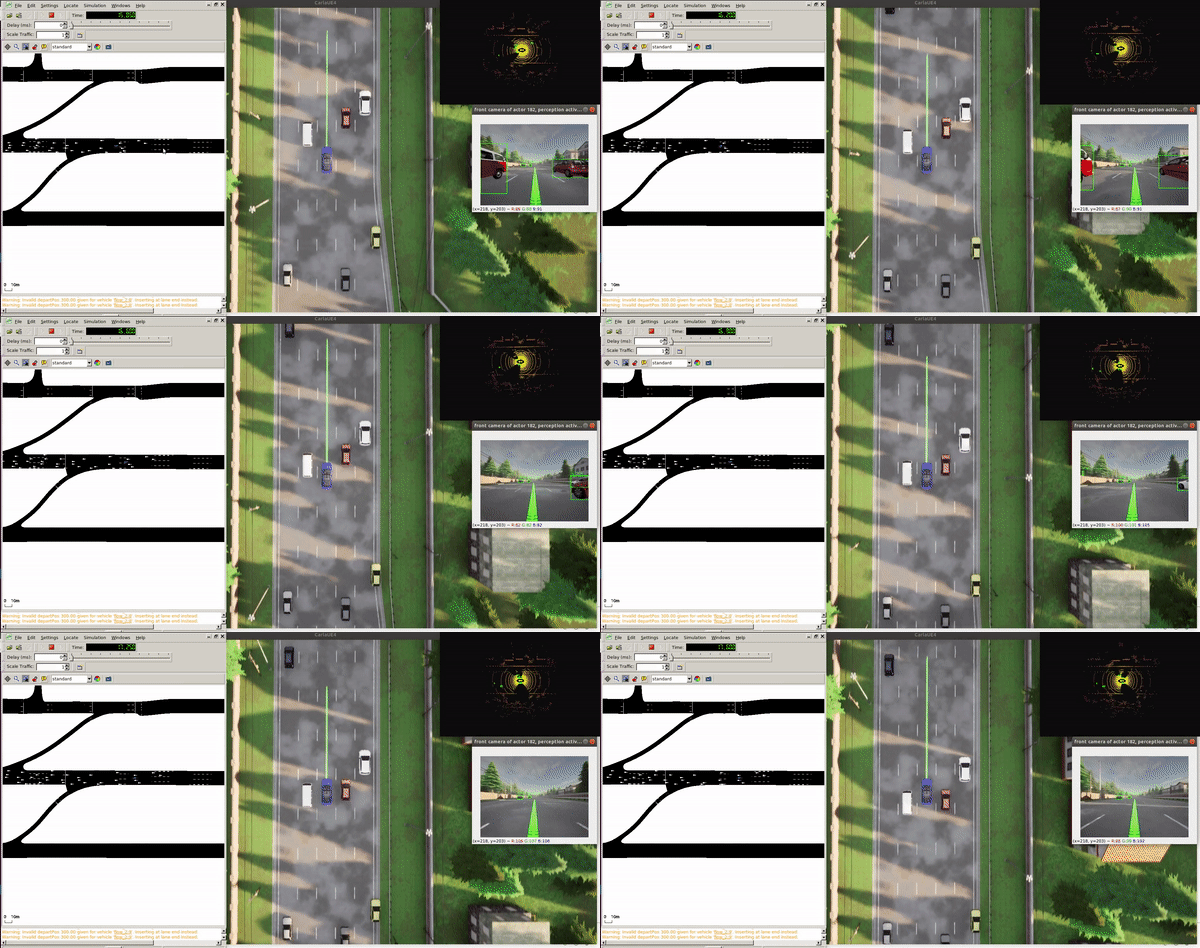
Tip: Bounding boxes in non-ML mode come from CARLA ground truth. With --apply_ml, they're from the detection model.
Cooperative Driving Tests
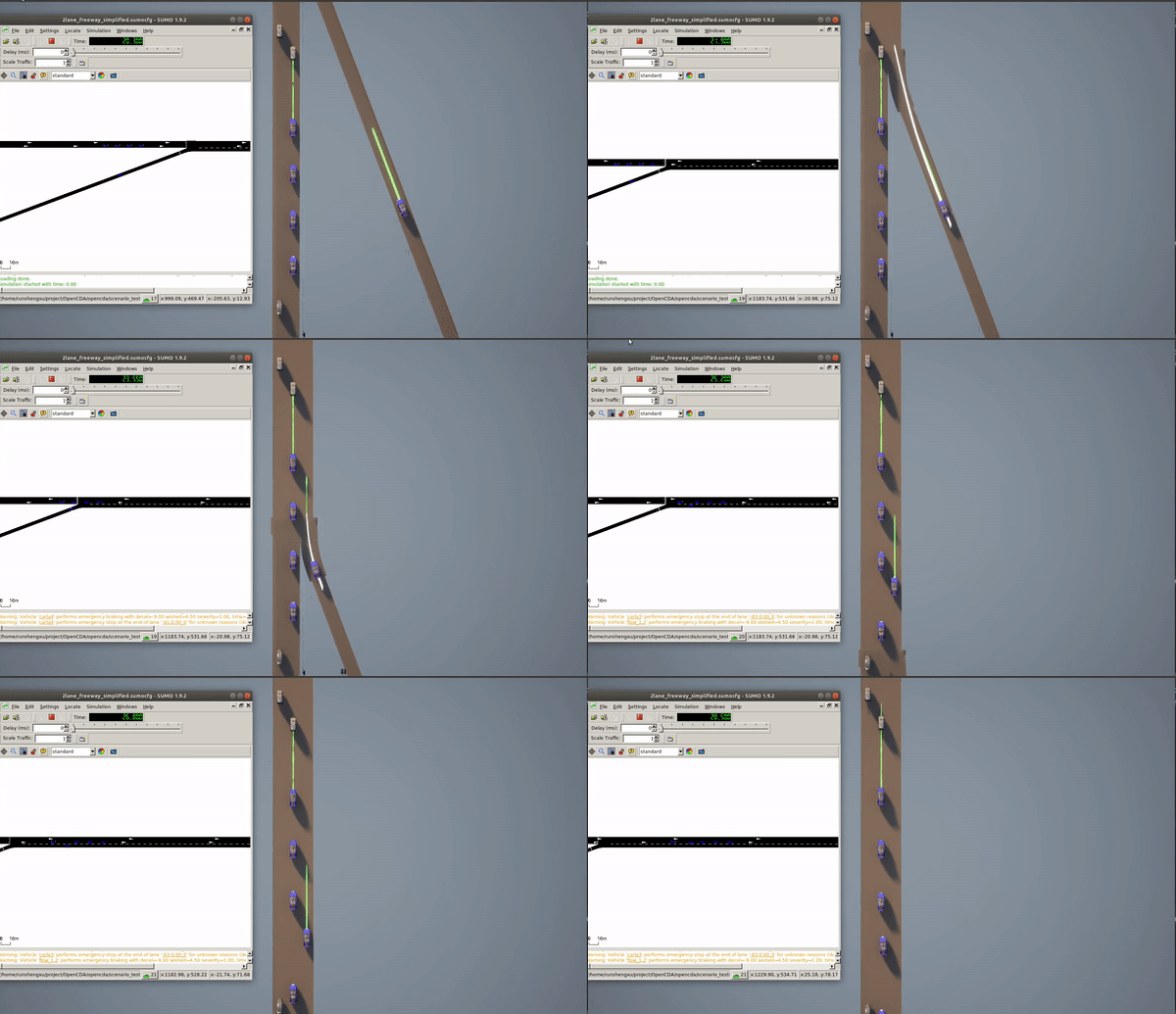
Features: - 4-vehicle platoon - Dynamic speed changes - Time gap maintenance - Stability verification
Features: - Mainline platoon with traffic - Cooperative merging from ramp - V2X communication - Real-time formation adjustment
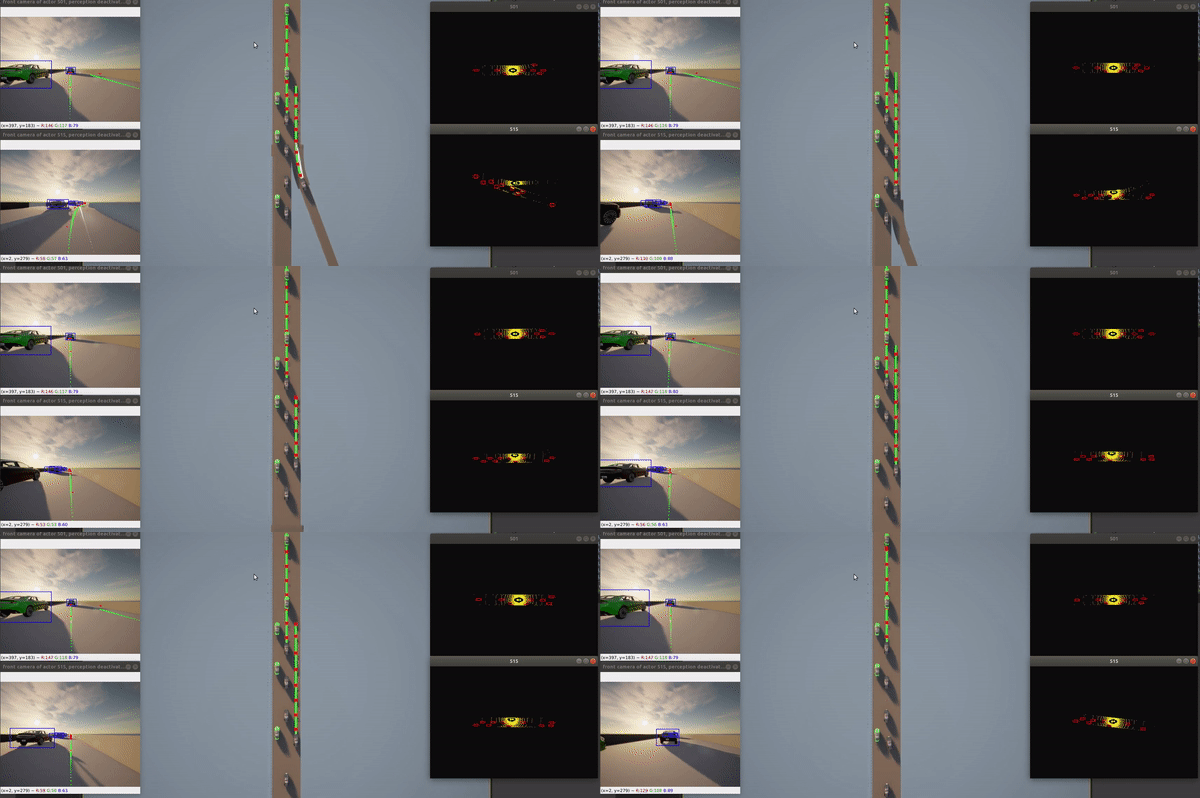
Features: - Overtaking maneuvers - YOLOv8/YOLOv5 detection - Complex urban scenario - Requires: PyTorch
Advanced Scenarios
Features: - Shared object detection via V2X - Extended perception range - Occlusion handling - Multi-vehicle fusion
Performance: Most scenarios run at 20 FPS simulation time on modern GPUs
Configuration & Customization
What you can modify: Scenarios, vehicle behaviors, perception models
# Create new scenario
from opencda.scenario_testing.scenario_manager import ScenarioManager

def custom_scenario():
    scenario_manager = ScenarioManager(config, apply_ml=True)

    # Spawn vehicles
    cavs = scenario_manager.create_vehicle_manager(['custom'])

    # Run simulation
    while True:
        scenario_manager.tick()
        # Custom logic here
Tips:
- Check
configs/opencda/{config_yaml}.yamlfor configuration examples - Use
opencda/customize/for custom implementations - See YAML Configuration Guide for all options
OpenCDA-MARL
What it provides: Multi-Agent Reinforcement Learning capabilities for cooperative driving research
Quick Test
Optional parameters:
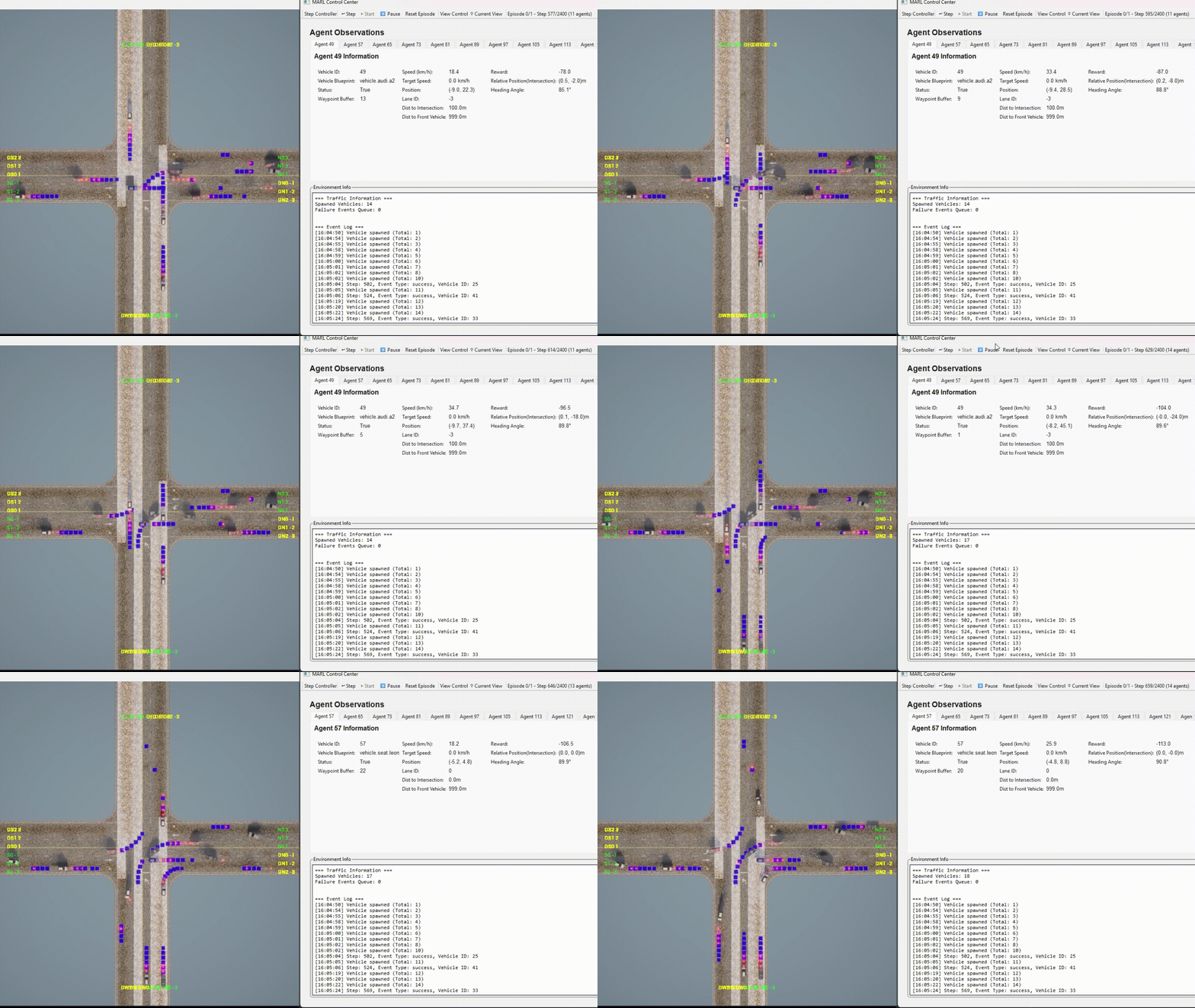
--gui: Enable GUI visualization-t <scenario_name>: Scenario name (.yamlinconfigs/marl/)
Example with GUI:
Agent Types
What you can choose: Different agent implementations for intersection scenarios
Features: - Deterministic behavior - Safety-first approach - No training required - Predictable performance
Features: - Enhanced safety mechanisms - Dynamic collision avoidance - Adaptive speed control
RL Algorithms
What's implemented: Reinforcement learning agents for intersection control
Configuration:
Configuration:
Configuration:
Configuration:
Configuration & Customization
What you can modify: Override default settings for specific scenarios
# configs/marl/default.yaml provides base settings
agents:
  behavior:
    max_speed: 45        # Default from base config
    emergency_param: 0.4
    ignore_traffic_light: false

# Your scenario config can override specific fields
agents:
  agent_type: "marl"
  marl:
    max_speed: 65        # Override: faster for RL training
    ignore_traffic_light: true  # Override: focus on intersection
# Customize agent behavior in any scenario config
agents:
  agent_type: "rule_based"
  rule_based:
    max_speed: 50                    # Custom speed limit
    junction_approach_distance: 80.0 # Longer approach distance
    time_headway: 2.5               # Tighter following

# Works for all agent types
agents:
  vanilla:
    collision_time_ahead: 2.0  # More conservative
    emergency_param: 0.3       # Earlier emergency braking
# Fine-tune RL algorithm parameters
agents:
  agent_type: "marl"

MARL:
  algorithm: "dqn"
  dqn:
    learning_rate: 0.0005      # Slower learning
    epsilon: 0.05              # Less exploration
    memory_size: 100000        # Larger replay buffer

# Or switch algorithms easily
agents:
  agent_type: "marl"

MARL:
  algorithm: "q_learning"      # Change from DQN to Q-learning
  q_learning:
    epsilon: 0.2               # More exploration for Q-table
Traffic Configuration
What you can modify: Traffic flow settings and vehicle spawn patterns
# Configure directional traffic flows
scenario:
  traffic:
    flows:
      - name: "north"
        rate_vph: 200        # Vehicles per hour
        lanes: [0, 1, 2]     # Lane indices
        direction: "north"
        speed_variation: 0.2
        middle_peak:
          intensity: 0.4     # Peak density multiplier
          position: 0.5      # Peak timing (0.0-1.0)
          width: 0.3         # Peak duration
More Information
- OpenCDA Users: Explore scenario testing and API documentation
- MARL Researchers: Check MARL architecture and development updates
- Contributors: See contributing guide
- Related Documentation: